
Networking10 Jun 2024 · 3 min read
Structured cabling: the foundation everything else sits on
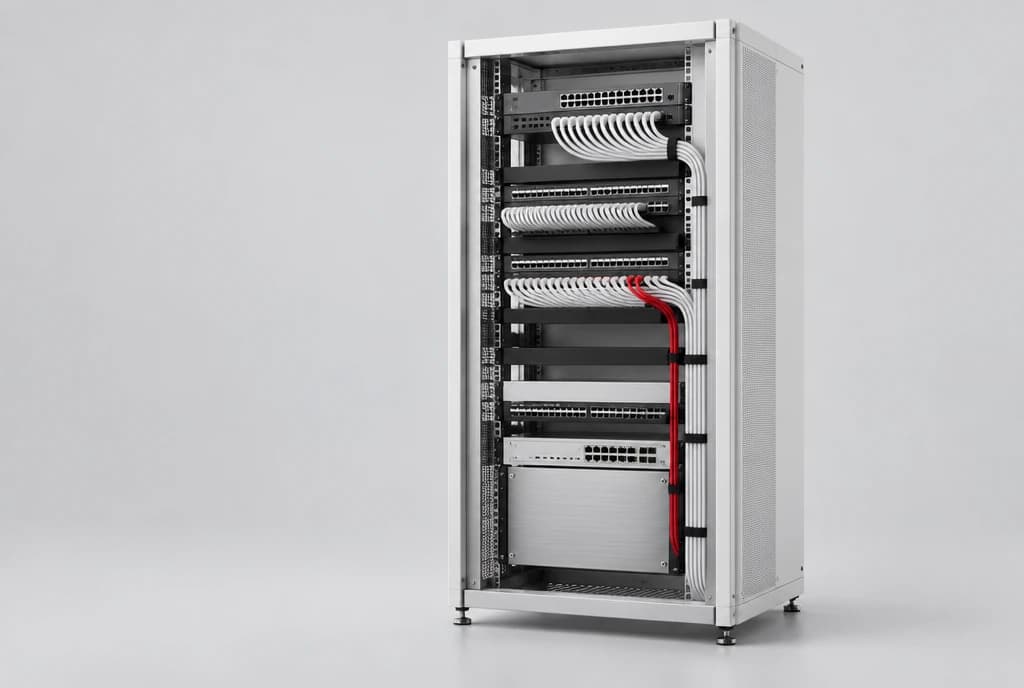
Wi-Fi, phones, cameras and access control all ride on the same physical layer. Getting it right saves years of trouble.
Wi-Fi access points, phones, cameras, access control and every desk connection all depend on the same physical layer: the cabling in your walls and ceilings. When it is designed and installed properly, it quietly supports everything for years. When it is not, it causes intermittent faults that are hard to trace and expensive to fix.
Why cabling deserves attention
Cabling is usually installed once, during a fit-out, and then hidden. It is tempting to treat it as an afterthought, but replacing it later means opening ceilings, disrupting work and paying twice.
A well-planned, well-documented cabling plant makes every future change faster: adding desks, moving teams, installing new cameras or upgrading Wi-Fi all become routine.
Plan for the next five years
Design for the capacity you will need, not just what you use today.
- Choose cable categories that support faster speeds and Power over Ethernet for access points and cameras.
- Add spare outlets in meeting rooms, ceilings and reception areas, where new devices often appear.
- Allow room in racks and cable trays for growth.
- Use fibre for backbone links between floors or buildings.
Do it properly the first time
Good installation is about discipline: correct bend radii, separation from electrical cables, tidy patching and proper terminations. Each link should be tested and certified, so you know it performs as specified rather than hoping it does.
Label and document everything
Every outlet, patch panel port and cable should have a clear label that matches a floor plan. When something stops working, an engineer can trace it in minutes instead of hours.
- Consistent labels at both ends of every cable.
- Floor plans showing outlet locations and their patch panel ports.
- Rack elevation drawings and a record of what is plugged in where.
Keep the comms room tidy
A neat rack with short patch leads, colour coding and proper cable management is easier to maintain and cools better. It also makes changes safer, because engineers can see what they are working on.
Power over Ethernet and smart devices
Many devices now draw power from the network cable itself: Wi-Fi access points, IP phones, cameras and access control readers. Planning PoE budgets and cable runs together avoids surprises when new devices are added.
How we help
We design cabling for the capacity you will need, install it to standard, label every run and certify every link, then hand over full documentation, so your network performs as specified from day one and stays easy to manage.